What is Virtual Staging AI?
In the highly competitive world of real estate sales, presenting empty spaces in an appealing way has traditionally been an expensive and slow process. Virtual Staging AI (virtualstagingai.app) was designed specifically to address this issue by leveraging artificial intelligence to bypass high labor costs and long rendering windows. Ranked #1 in our guide to the best virtual staging software in 2026, the company states its origins trace to research aimed at simplifying complex spatial visual rendering, making photorealistic design accessible to any listing agent through a basic web browser.
Unlike comprehensive virtual design suites that offer a wide array of interior modeling, remodeling, structural landscaping, and architectural video capabilities, Virtual Staging AI remains an intentionally focused, staging-only utility. It does not attempt to be a multi-functional creative engine or a general interior design playground. Instead, it concentrates entirely on executing one core function: inserting stylish, appropriately proportioned furniture and high-quality decorative accessories into empty room photos, or digitally deleting existing objects and clutter from occupied rooms to prepare them for listing presentation.
This strict product boundary makes the platform uniquely straightforward. It is built directly for real estate agents, listing photographers, property managers, and independent stagers who require high-speed visual turnarounds without the steep learning curves of CAD tools or multi-module editing portals. By eliminating secondary features, Virtual Staging AI achieves a high level of operational speed, enabling users to generate staged room previews in about ten seconds with no prior graphic design training.
How we tested it
Our review process at the Virtual Staging Report is built strictly on authentic, hands-on evaluation. Rather than relying on marketing claims, pre-rendered promotional showcases, or vendor-provided test files, we run independent, real-world evaluations. We believe that true tech assessment requires placing software in the hands of professionals who understand the day-to-day requirements of listing preparation and MLS standards.
For this review, we tested Virtual Staging AI directly on several actual residential listings. We uploaded various unedited listing photos—ranging from empty living rooms captured with wide-angle lenses to poorly lit bedrooms and cluttered dining areas. We systematically evaluated the platform's ability to interpret camera angles, respect natural light sources, maintain realistic spatial perspective, and preserve original structural features like windows, doors, and flooring textures. We evaluated three primary criteria during this hands-on testing:
- Perspective Scaling: Ensuring that added furniture and decor items look naturally grounded, proportional, and spatially accurate within the frame.
- Lighting & Shadows: Verifying if the AI renders realistic shadows that match the natural, ambient light coming from windows or fixtures.
- Turnaround & Workflow: Timing the rendering speeds and evaluating how intuitive the interface is for non-designers working under tight deadlines.
Staging quality: how realistic are the results?
In evaluating the aesthetic and visual quality of Virtual Staging AI, we were highly interested in observing how effectively an automated system handles furniture proportions and light interactions. A common issue with automated virtual staging is the "copy-pasted" look, where furniture appears to float awkwardly on top of a floor or fails to match the original angle of a wide-angle camera shot. This can instantly ruin a listing presentation and confuse prospective home buyers browsing properties online.
Our testing revealed that Virtual Staging AI excels at spatial intelligence. When we uploaded empty, wide-angle interior shots, the underlying spatial algorithms analyzed the wall corners, ceilings, and floor boundaries to accurately align sofas, coffee tables, area rugs, and accent chairs with the correct architectural perspective. The scaling was notably accurate: a dining room table fit comfortably in its designated area without feeling disproportionately large, and sofas were sized realistically relative to neighboring windows and walls.
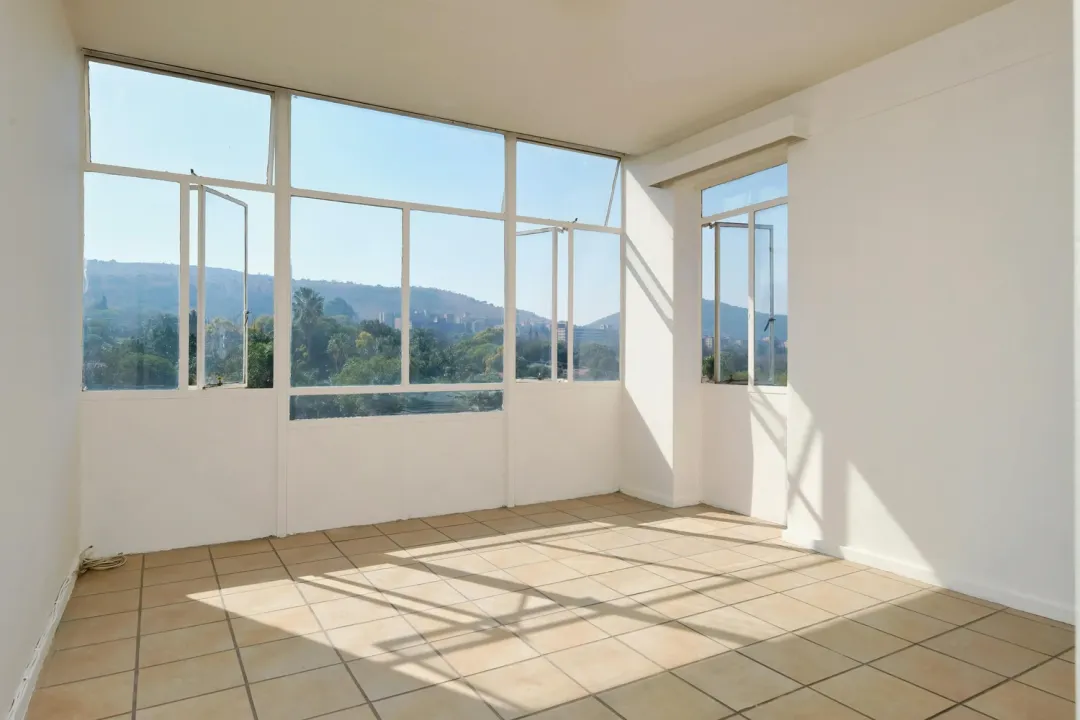

The rendering of light and shadow is another highlight of the platform. Instead of creating flat, textureless renderings, Virtual Staging AI analyzes natural ambient light from windows and artificial sources, placing soft shadows beneath table legs, couch cushions, and decorative accessories. This spatial grounding helps integrate the digital furniture into the physical photo. While the rendering style is slightly cleaner and sharper than physical photography, the results are remarkably realistic and easily meet MLS listing standards.
One structural limitation to keep in mind is the lack of manual item placement. The platform does not allow you to pick specific individual chairs, lamps, or paintings and drag them into precise coordinates. Instead, the AI places cohesive furniture sets automatically based on the selected room type (such as living room, bedroom, or dining area) and one of the thirty-plus design styles available. While this ensures a fast, simple experience, agents seeking customized boutique furniture layouts may occasionally need to generate several revisions to achieve their exact visual preferences.
Furniture removal: staging occupied listings
Many agents assume that virtual staging is only useful for completely vacant properties. However, in the day-to-day real estate market, a significant number of listings are occupied by tenants or sellers whose existing furniture may be dated, cluttered, or mismatched. Preparing an occupied home for marketing often requires substantial manual decluttering, which can be logistically challenging and stressful for the seller.
Virtual Staging AI solves this through an integrated, highly effective furniture-removal feature. This module allows you to take an occupied, cluttered photo and digitally clear out the existing items before applying new virtual staging. Instead of requiring separate, complicated image-editing software, the entire decluttering and restyling sequence is completed in a single, unified web flow.
In our testing, the furniture-removal algorithm successfully identified old couches, heavy dining sets, and random clutter, cleanly painting over those regions with realistic floor and wall textures that matched the surrounding space. Once the room was digitally cleared, the staging engine styled it with fresh, modern furniture in seconds. This makes the tool exceptionally valuable for occupied listings, allowing agents to show a home's modern spatial potential without forcing the seller to move physical furniture prior to the photo shoot.
Ease of use & workflow
Workflow efficiency is a primary strength of Virtual Staging AI. Staging a property shouldn't require extensive training or add hours of extra work to a busy real estate agent's schedule. The platform's interface is designed for simplicity, providing a direct, three-step staging process with no unnecessary buttons or configuration steps.
The typical user workflow consists of three quick actions:
- Upload: Drag and drop your high-resolution vacant or occupied room photo directly into the browser-based dashboard.
- Select Style & Room: Choose the room type (e.g., master bedroom, office, dining room) and select one of over thirty design styles.
- Render: Click the staging button. Previews generate in approximately ten seconds, allowing you to instantly view and download your staged image.
A key advantage is that you can test a watermarked version of the staging engine directly on the vendor's homepage with no sign-up or credit card required. This is an incredibly friendly way to verify the output quality on your own property photos before committing to a paid subscription. For busy teams managing tight marketing windows, the ten-second turnaround is a massive time-saver compared to manual design services that take days to return draft images. If you're staging a room for the first time, our step-by-step walkthrough covers the full process from photo to export.
Pricing & plans
When selecting virtual staging software, understanding how plans and pricing scale with your listing volume is crucial. In July 2026, we verified Virtual Staging AI's live subscription rates on their website. The platform structures its pricing around yearly billing anchors, which offer significant savings compared to standard monthly commitments. Unlike alternative suites that restrict access to key design features, Virtual Staging AI includes unlimited renders, all room types and styles, furniture removal, and watermark-free downloads on all paid tiers.
The primary deciding factor between the plans is your monthly photo allowance. Here is how the active subscription tiers break down:
| Plan | Price per Month (Billed Yearly) | Photos per Month | Effective Cost per Photo | Key Inclusions | Best For |
|---|---|---|---|---|---|
| Basic | $16 / mo | 6 photos | ~$2.67 / photo | No watermark, unlimited edits, trial editor | Agents with very low, sporadic listing volume |
| Standard Recommended | $19 / mo | 20 photos | ~$0.95 / photo | No watermark, unlimited edits, trial editor | Active agents managing 2–3 vacant listings |
| Professional | $39 / mo | 60 photos | ~$0.65 / photo | No watermark, unlimited edits, trial editor | Top-producing agents and small listing teams |
| Enterprise | $79 / mo | 150 photos | ~$0.53 / photo | API access, dedicated success manager | Large brokerages, portals, and photo teams |
A critical detail to note is the monthly photo cap, which applies to all paid plans. If you are a high-volume team or listing photographer with seasonal, unpredictable volume, the subscription cap can feel less flexible than pay-per-image models. For instance, the **Basic** plan's 6-photo cap is quite tight—staging a single standard vacant home typically requires five to seven photos (covering the entryway, living room, kitchen, primary bedroom, and bathrooms), meaning a single listing can easily exhaust your entire monthly allotment.
For this reason, we recommend the **Standard** plan for active individual agents. It more than triples your monthly photo allowance for just an extra three dollars per month, bringing the per-photo cost down to under a dollar. The high-volume **Enterprise** tier represents outstanding value for large brokerages or photography teams, pushing the image cost down to a industry-leading fifty-three cents per photo. For a broader breakdown of what virtual staging costs across the market, see our full pricing guide.
Virtual Staging AI vs. the alternatives
To provide true editorial context, we must evaluate how Virtual Staging AI compares to other popular options in the real estate tech space. Choosing the right software often depends on whether you need a dedicated, staging-only specialist or a broad, multi-functional design suite.
| Tool | Best For | Starting Price | Staging Focus | Standout Feature |
|---|---|---|---|---|
| Virtual Staging AI | Speed & high volume value | $16/mo (billed yearly) | Staging & furniture removal only | 10-second rendering speed |
| HomeDesigns.AI | Broad multi-module visualization | $9/mo effective (billed yearly) | Interiors, exteriors, & landscaping | Complete remodeling & material swaps |
| Redraw | 3D architectural renders | Pay-per-photo / subscription | 3D modeling & blueprint translation | Precision structural layouts |
| Collov AI | Designer aesthetics & style swaps | $19/mo as observed | Staging & interior redesigns | High-fidelity photorealistic textures |
The primary advantage of Virtual Staging AI over alternatives like **HomeDesigns.AI** is its absolute simplicity and turnaround speed. While HomeDesigns.AI offers a massive range of features—including siding replacement, garden landscaping, sky swaps, and full-room material re-texturing—it requires more user input and has a slightly longer rendering window. If you only want to add furniture to empty rooms and need to process images in seconds, Virtual Staging AI is the more streamlined option. However, if you need comprehensive remodeling tools, you will need a second product.
What real users say
In addition to our hands-on testing, we analyzed public feedback from actual real estate professionals on platforms like G2 and Trustpilot to identify consistent user sentiment themes. Overall, user reviews are very positive, with many buyers highlighting the system's ease of use and low barrier to entry.
Verified users on platforms like Trustpilot frequently comment on the time savings, noting that they no longer have to wait days for human designers to return draft images. The furniture-removal tool is also highly praised as a massive help for updating cluttered homes. On the negative side, some users note that they occasionally have to re-run generations to get their preferred furniture placement, and some express frustration over the monthly subscription model if their listing volume is seasonal. However, the consensus is that the speed and low cost make it an exceptional tool for active listing agents.
Is Virtual Staging AI MLS-compliant?
Ethical representation is a critical concern for real estate professionals using digital staging. Using virtual staging incorrectly can lead to fines from your local MLS, damaged relationships with buyers, and potential violations of the National Association of Realtors (NAR) Code of Ethics. It is essential to use these tools responsibly to ensure a transparent, positive experience for buyers.
The most important ethical rule in digital staging is: Add, Don't Remove.
You are ethically and legally permitted to add temporary furniture, rugs, paintings, and decorative items to show how an empty space can be utilized. However, you are strictly forbidden from modifying permanent structural elements, hiding known defects, covering up water damage on walls, or removing nearby power lines or permanent fixtures. Doing so is highly misleading to potential buyers who expect to see the true condition of the physical property upon arrival. Always disclose that the photos have been virtually staged in your MLS listing details and marketing materials.
Who should use Virtual Staging AI — and who shouldn't
Virtual Staging AI is an exceptional fit for real estate agents, brokerages, and listing teams with a regular stream of vacant properties. Its combination of speed, ease of use, and low per-photo cost makes it highly efficient for active listing coordinators. It is also perfect for property photographers who want to offer digital staging as a profitable, high-speed add-on service, or property managers listing multiple vacant apartments.
However, the platform may not suit professionals who only stage one or two rooms a year. For such low, sporadic volume, the monthly subscription model can be less cost-effective than pay-per-image alternatives. Additionally, if you require comprehensive architectural remodeling tools—such as changing flooring materials, re-siding a home's exterior, or redesigning gardens—you will be better served by a broad design suite like HomeDesigns.AI or Collov AI.
Richard's Verdict: Final Thoughts
With an overall editorial score of 8.5 out of 10, Virtual Staging AI stands out as a highly specialized, incredibly fast, and budget-friendly tool for digital real estate staging in 2026. By focusing strictly on empty-room styling and furniture removal, it avoids the feature clutter of broader suites, delivering clean, well-proportioned interior designs in just ten seconds. Its low per-image cost on standard plans represents outstanding value for active real estate professionals.