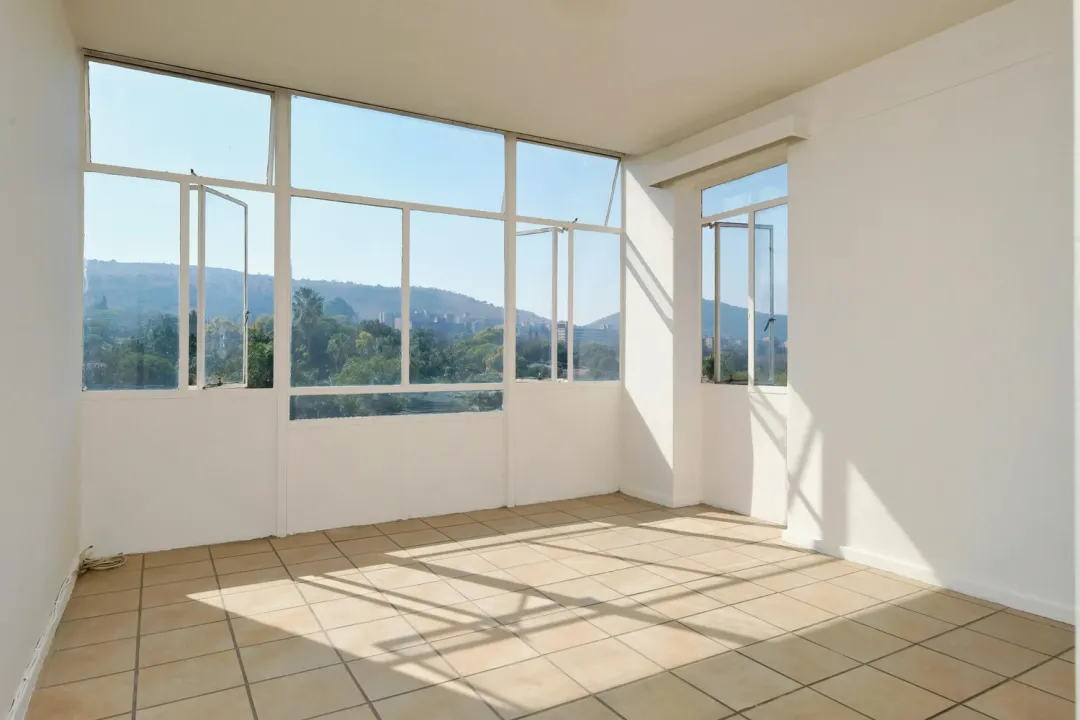
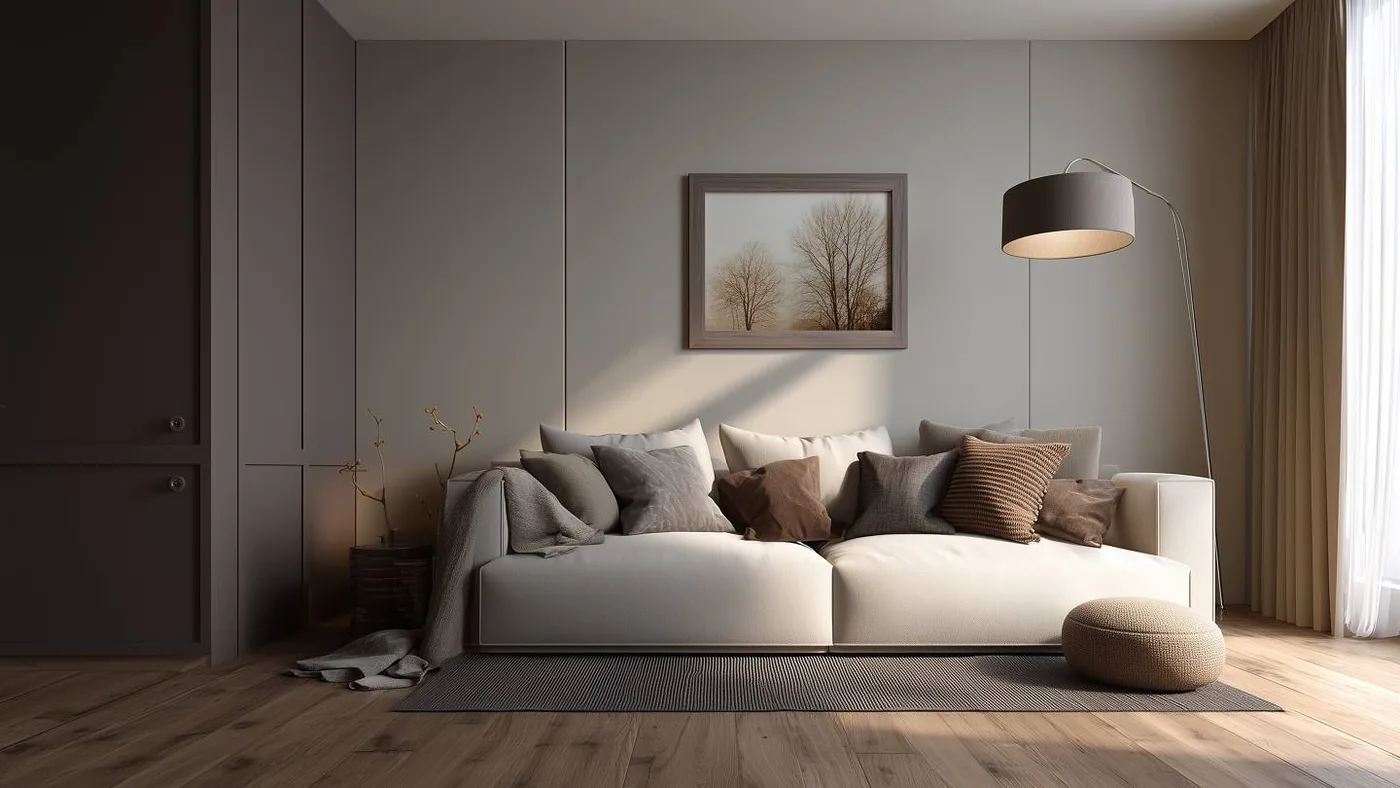
AI exterior home design refers to using generative visual intelligence to produce a photorealistic redesign of an existing property facade directly from a single two-dimensional photograph. Unlike conventional 3D architectural modeling, which demands hours of CAD drafting, structural wireframing, and intensive lighting simulations, exterior design AI works with the photographic perspective you already possess. By recognizing rooflines, siding materials, window headers, entry doors, and terrain contours, modern machine-learning models can re-clad walls, swap color schemes, lay down fresh hardscaping, and restyle entire front yards in seconds.
This approach directly serves two audiences who start from the exact same visual foundation: a homeowner seeking clarity on an upcoming renovation, and a real estate agent or listing photographer seeking to demonstrate unrealized curb appeal to online buyers.
What AI exterior design can and cannot change
When you upload an image into an ai house exterior design engine, the software divides the visual field into distinct contextual semantic masks: vertical wall planes, roof slopes, fenestration (windows and doors), horizontal ground planes, and sky backdrops. Understanding the boundaries of these masks is essential for setting realistic expectations before you attempt to ai redesign a property facade.
What Modern AI Exterior Systems Handle Exceptionally Well
- Siding textures, cladding, and paint colors: You can replace tired aluminum or vinyl siding with board-and-batten, cedar shake, contemporary dark composite panels, horizontal wood slats, or painted brick.
- Roofing materials and tones: Weathered asphalt shingles can be swapped for architectural dimensional shingles, standing-seam metal roofing, clay barrel tiles, or slate finishes.
- Doors, garage portals, and window trims: Traditional multipane windows can be digitally updated to modern black aluminum frames, while solid garage panels can transition into carriage doors or modern glass inserts.
- Landscaping and lawn rejuvenation: Patchy or dormant turf can be replaced with manicured sod, flanked by structured garden beds, mature ornamental trees, modern foundation plantings, or rock gardens.
- Driveways and pedestrian walkways: Cracked concrete or faded gravel can be re-rendered as clean stamped concrete, modern herringbone pavers, flagstone paths, or smooth asphalt.
- Atmospheric lighting and environmental mood: Midday overcast conditions can be converted into warm golden-hour sunsets or dusk settings with glowing porch fixtures and illuminated landscape uplighting.
The Honest Practical Limits of Exterior Design AI
While the visual transformation of an ai home exterior design tool can look striking, it is critical to state its technical limitations plainly. AI exterior software generates a visual concept, not an architectural blueprint or engineering document.
- No construction drawings or vector measurements: The AI does not output scaled architectural plans, elevation cross-sections, or dimensioned framing guides that a contractor or carpenter can use on-site.
- Zero structural or zoning compliance: The algorithm has no awareness of local municipal building codes, setback restrictions, HOA material guidelines, seismic requirements, or structural load-bearing constraints. A rendering might cheerfully depict a cantilevering second-story deck or oversized picture window where load paths make it physically impossible or prohibitively expensive.
- No real-world renovation costing: AI apps for exterior home design cannot tell you what a specific stone veneer costs compared to fiber cement siding, nor can they estimate demolition, labor, or disposal expenses.
- Potential perspective hallmarking: Minor elements—such as gutters, downspouts, roof flashing, and electrical meters—can sometimes be blurred, omitted, or blended into masonry during generative re-runs.
Starting from the right photo
In all visual generation workflows, input quality dictates output reality. When feeding an image into an ai exterior design generator, the neural model relies heavily on straight perspective lines to calculate vanishing points, shadow depth, and surface planes. Preparing your source photograph properly eliminates 80% of unnatural rendering errors.
Key Rules for Photographing a Building Facade
- Shoot perpendicular and level: Position yourself directly in front of the home's center axis rather than at an acute diagonal corner. Align your camera level with the horizon to keep vertical wall edges upright and avoid keystone distortion.
- Frame the entire structure with margin: Ensure the roof ridge, foundation line, gutters, and both side setbacks are fully visible in the frame. Leave breathing room around the edges so the AI can build coherent landscaping and sky boundaries.
- Choose even, indirect daylight: A bright overcast sky or early morning light is vastly superior to harsh noon sunlight. Direct midday sun casts heavy, high-contrast shadows under eaves and porches that confuse the model's texture algorithms.
- Clear physical obstructions: Move vehicles out of the driveway, stow trash receptacles, remove temporary garden hoses, and sweep debris. The cleaner the driveway and walkway, the cleaner the new material substitution will appear.
- Step across the street: Whenever possible, back up across the road and use a standard focal length rather than standing on the sidewalk with an ultra-wide smartphone lens. Wide-angle barrel distortion warps roof pitches and makes walls appear bowed.
Facade redesign, landscaping, and day-to-dusk
In practical application, users seeking ai home design exterior tools are rarely trying to do everything at once. Real-world workflows generally break down into three distinct operational jobs, each answering a different problem:
Job 1: Comprehensive Facade Redesign
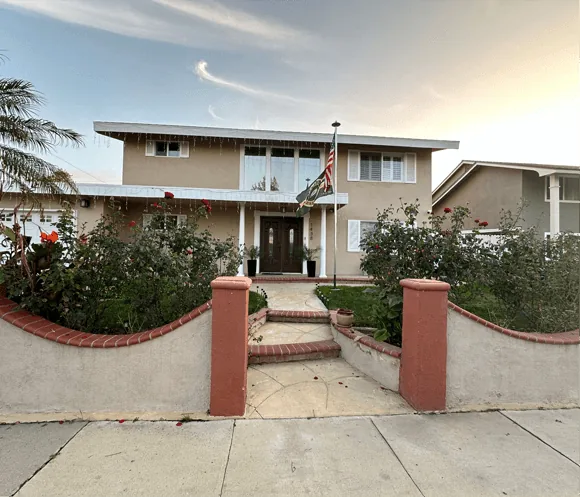
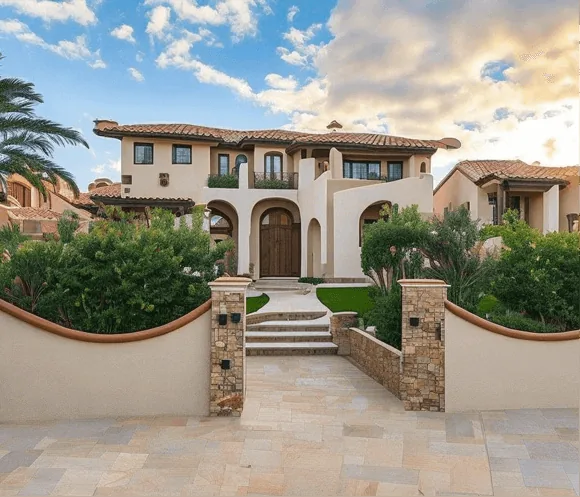
This workflow focuses on structural skins: changing vinyl cladding to vertical cedar planks, painting traditional red brick an off-white mineral wash, or updating a plain front entrance with timber posts and modern stone skirting. For a homeowner, this is the digital equivalent of an architectural swatch board, allowing them to test whether charcoal trim feels too aggressive or if natural wood accents warm up the curb presence. For an agent representing a dated listing or probate property, it illustrates cosmetic upside to buyers who struggle to see past 1970s siding.
Job 2: Landscaping & Hardscaping Replacement
Often, a home's siding and paint are in sound condition, but overgrown hedges, bare dirt patches, or an oil-stained driveway drag down the visual presentation. AI exterior landscaping modules isolate the ground plane to replace weed-ridden lawns with vibrant grass, install symmetrical boxwood plantings, add mulch beds, and pave driveways with contemporary stone. This job is particularly valuable during seasonal transitions—such as listing a home in late winter or early spring before natural foliage has greened up.
Job 3: Day-to-Dusk Twilight Conversion
Twilight photography is one of the most effective tools in luxury residential marketing, but scheduling a professional photographer for a twenty-minute sunset window adds logistical friction and weather risk. AI twilight engines adjust ambient daylight, introduce warm sunset hues into the sky, simulate interior illumination glowing through front windows, and activate architectural landscape uplights. When applied with restraint, this single edit elevates listing appeal dramatically without modifying any physical component of the home.
Curb appeal for real estate listings
In digital real estate marketing, the primary exterior photograph carries disproportionate weight. On syndication portals, buyer mobile apps, and social feeds, the hero exterior image is the sole determinant of whether a prospective buyer clicks through to inspect the interior gallery or continues scrolling. Strong curb appeal establishes value before the front door is ever opened.
However, applying ai exterior house design edits to an active listing introduces serious professional responsibilities that agents and listing media providers must navigate deliberately.
Photo Enhancement vs. Depicting Non-Existent Renovations
There is a fundamental ethical and regulatory divide between enhancing an existing photograph and altering physical realty:
- Permissible photo enhancement: Correcting an overcast sky, balancing shadow exposure under an eave, or simulating twilight lighting represents photographic optimization. The house itself remains identical to what a buyer will see on an in-person tour.
- Digital renovation visualization: Removing damaged asbestos shingles, adding a modern composite porch, altering paint colors, or repaving a gravel driveway with stone depicts a physical reality that does not currently exist.
The Disclosure Expectation
Whenever an exterior photograph showcases digital alterations that change the property's physical materials, finishes, or permanent landscaping, explicit disclosure is essential. Failing to disclose structural alterations risks violating Multiple Listing Service (MLS) advertising guidelines, state licensing rules, and consumer protection laws against deceptive marketing.
The standard industry best practice is straightforward: clearly label any modified exterior image as "Virtually Renovated" or "Virtually Staged Concept" directly on the image banner and in the listing remarks. Furthermore, always pair the conceptual render with the unedited, current photo immediately beside it in the photo carousel. This dual presentation frames the image as an inspiring visual possibility rather than an inaccurate representation of current condition. To explore ethical compliance standards in detail, read our guide on how to virtually stage a home.
Which tools handle exteriors well
While many virtual staging applications focus exclusively on interior living rooms and bedrooms, several leading platforms have built dedicated modules for exterior facades, gardens, and architectural rendering. Based on our comprehensive reviews across the Virtual Staging Report, three platforms stand out for distinct exterior workflows:
HomeDesigns.AI — Comprehensive Exterior & Curb Appeal Suite
HomeDesigns.AI stands out as the most versatile consumer-facing platform for outdoor transformations. Rather than limiting users to interior furniture placement, its browser-based suite includes dedicated modules for exterior facades, garden design, patio styling, and environmental sky replacement. Users can select specific portions of an exterior wall to re-clad or re-paint while maintaining the original roof and window lines. For a full breakdown of its capabilities, credit structure, and usability, consult our HomeDesigns.AI review.
Collov AI — Multi-Media Photo Suite & Twilight Conversion
Collov AI is built as a broad digital media studio for real estate marketing. In addition to interior room staging, Collov offers specialized environmental photo enhancements, most notably its automated day-to-dusk twilight converter and object-retouching brushes. It is particularly well-suited for listing agents who need clean, rapid lighting transformations and sky adjustments on existing property captures. Read our complete assessment in our Collov AI review.
Redraw — Architectural Rendering from Drafts & Models
Redraw operates on a fundamentally different principle than photo-filter apps. Engineered primarily for architects, pre-construction marketing teams, and developers, Redraw transforms CAD models, geometric wireframes, and draft sketches into photorealistic architectural renders. If you are starting from blueprints or planned additions rather than an existing smartphone photo, Redraw offers the closest alignment with professional architectural workflows. Review its technical strengths in our Redraw review.
What it costs
Pricing across exterior design AI platforms varies depending on your expected rendering volume and workflow frequency, but nearly all platforms follow one of three general commercial models:
- Pay-per-photo credit bundles: Users purchase a fixed bucket of render credits with no recurring monthly commitment. This structure is ideal for individual homeowners planning a one-time remodel or agents who only stage a few listings each year.
- Monthly subscription tiers: Providers offer fixed monthly allowances ranging from entry-level allotments for occasional projects to high-volume allowances designed for active real estate marketing teams and photography studios. Subscriptions almost universally cut the effective per-image cost substantially.
- Annual billing commitments: Committing to an annual upfront plan typically reduces the effective monthly subscription rate by roughly half compared to month-to-month billing.
For a detailed, qualitative analysis of how staging software is priced across pay-per-image and subscription models, review our full virtual staging cost guide. If you are exploring unpaid tiers or introductory trials first, see our breakdown of free AI exterior home design to understand where free limits and watermarks kick in.
Frequently asked questions
Can AI redesign my house exterior from a photo?
Yes. Modern exterior design AI tools analyze a single photograph of a property to detect architectural boundaries, rooflines, window placements, and grounds. The software then applies new siding textures, color palettes, modern roofing materials, and landscaped greenery while preserving the fundamental perspective of the structure.
Is AI exterior design accurate enough to plan a renovation?
AI exterior designs are excellent for aesthetic brainstorming, material palette selection, and general visualization, but they cannot replace professional architectural drawings. The AI does not compute structural loads, local zoning setback rules, or engineering specifications required for permitting.
Can I use an AI exterior render in a property listing?
Yes, provided you follow real estate disclosure guidelines. The listing must clearly label the photo as virtually staged or virtually renovated and present unedited photos alongside it so prospective buyers are never misled about the property's actual physical condition.
What photo works best for AI exterior design?
The best source image is taken straight-on from across the street in soft daylight, capturing the full building from foundation to roof peak without parked vehicles, extreme wide-angle lens distortion, or harsh tree shadows across the facade.
What is the difference between exterior design AI and 3D architectural rendering?
3D architectural rendering constructs a digital model from exact vector measurements and blueprints, which requires specialized CAD software and manual scene setup. Exterior design AI directly repaints and enhances a 2D photograph using generative vision models in seconds.
How do AI apps for exterior home design handle structural details?
AI apps detect structural elements like doorframes, gutters, and load-bearing columns as surface regions. While advanced tools keep major geometries stable, minor decorative trims or masonry joints may blend into neighboring textures, requiring prompt adjustments or selective retouching.